For the people who own the fleet
Audio quality is a deployment problem
Open the playbookPrice the seats
Every guide on the internet tells your users to open their meeting app and toggle a setting. That advice works for one laptop. You have nine hundred. RolloutDesk is written for the person who has to make quiet, intelligible calls the default state of an entire organization — through packages, policies, consoles and MDM, not through a company-wide email that says “please check your settings.”
We stay in the admin lane on purpose. You will not find end-user walkthroughs here, because you are not going to fix 900 laptops by hand. Everything on this site is framed the way you actually work: an installer with silent-install parameters, a policy object with a scope, a console with roles, a line item with a renewal date.
Start here: the company-wide playbook
Our core guide walks the whole arc — why org-wide beats ad-hoc, which levers already exist inside Teams and Zoom, when a dedicated suppression layer earns its seat price, how to package and stage it, and what to measure so you can prove the rollout worked.
The three layers you can actually control
From the admin chair, “call audio” decomposes into three controllable layers. Most organizations only ever configure one of them, usually by accident.
1. Platform policy
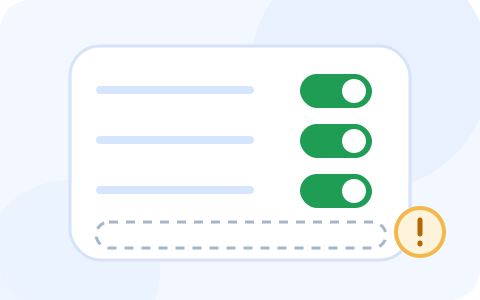
Teams and Zoom both ship noise processing, and both expose real administrative levers — meeting policies and PowerShell parameters on the Microsoft side, client policy keys and portal locks on the Zoom side. These cost nothing and deploy in an afternoon. They are also narrower than most admins assume, and we spell out exactly where they stop.
2. A dedicated suppression layer
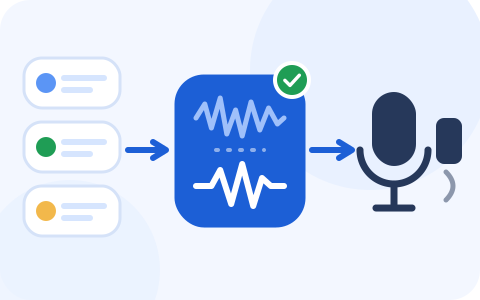
A tool like Krisp sits at the OS audio layer and cleans every app at once — the softphone, the meeting client, the recording tool your sales team adopted without telling you. The enterprise question isn't “does it work”; it's whether it ships as an MSI, takes silent-install flags, respects SSO and shows up in a console you can audit.

3. Distribution machinery
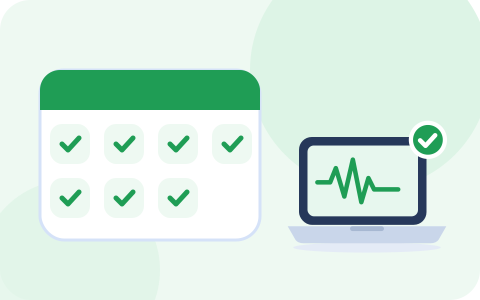
Whatever you pick has to reach the fleet: Intune rings for Windows, MDM for Macs, GPO where that's still the house tool, SSO and SCIM so accounts appear and disappear with the HR feed. This is the part vendors gloss over and the part that actually decides whether the rollout sticks.
Intune · GPO & SCCM · macOS MDM · SSO & SCIM
Why this is worth a change ticket
Bad call audio is a genuinely strange failure category. It generates almost no tickets relative to its impact, because nobody files a ticket that says “Dave's dog was audible for forty minutes.” The costs land elsewhere: the sales call that ran twice as long, the interview where the candidate heard a keyboard more clearly than a question, the all-hands where a quarter of the company gave up and read the deck instead. When the complaint finally surfaces, it arrives as something vague — “Teams is bad” — and gets triaged as a network problem, which it usually isn't.
Treating suppression as managed software flips the economics. Configured once, distributed centrally, it removes an entire class of intermittent, unreproducible, morale-draining audio complaints — the worst kind of ticket, the kind that closes as “could not reproduce” and reopens a week later. We wrote a whole piece on this dynamic: the helpdesk ticket nobody owns.
The honest version of the pitch
Not every organization should buy suppression seats, and we say so in plain numbers. The native Teams and Zoom levers are free, already licensed, and genuinely good — for many fleets they are the whole answer, and neither Microsoft nor Zoom pays us anything for saying it. The paid layer earns its keep in specific situations: mixed app estates, customer-facing voice teams, regulated environments that need SSO, SCIM and audit trails, and fleets where “works in every app, not just the meeting client” is a hard requirement. Our seat-math page puts real dollar figures on the decision so you can defend it — or kill it — in front of whoever signs.
How a RolloutDesk rollout runs
- Decide the layers. Platform policy first, always — it's free. Then decide whether a dedicated layer clears your bar. The playbook has the decision table.
- Price it honestly. Run the seat math at your real headcount, including the people who will never install it. Budget owners respect a number that includes waste.
- Pilot in rings. IT first, then the noisiest team you have, then everyone. Our pilot plan includes exit criteria, comms notes, and the rollback nobody writes down.
- Package and push. MSI with silent-install parameters on Windows, pkg install via MDM on macOS, SSO from day one so you never manage passwords for an audio tool.
- Close the loop. Watch the admin console's usage data, watch the ticket category you created for call audio, and reclaim seats that go idle. A rollout without a feedback loop is just an expense.
The tool we deploy most
Krisp is the suppression layer we reach for when an organization clears the bar for a paid tier: it ships a real MSI from a real admin console, takes SSO parameters at install time, and cleans audio in every app on the machine rather than one meeting client. Pricing starts at $8 per user per month billed annually, with a 7-day trial to run your pilot on (verified against krisp.ai, 20 September 2026).
Referral link, declared: when an organization licenses Krisp after clicking this button, Krisp pays RolloutDesk a fee. Your quote stays the same, and so does every word of the runbooks.
What RolloutDesk is, and isn't
We're a small team that has spent years on the shipping side of IT — packaging installers, arguing with change advisory boards, and watching beautifully chosen software die because nobody planned the deployment. This site covers exactly one problem: making organization-wide call audio quiet and intelligible, administratively.
What we don't do: end-user tutorials, hardware and headset advice, podcast production, or reviews of every audio tool on the market. Narrow site, deep lane. Every price and policy claim on these pages carries the date we verified it, because vendor docs drift and admin decisions deserve fresh facts. The receipts live on each page, and anything fragile is re-checked before we cite it.
Newest from the blog, The Change Window: The helpdesk ticket nobody owns: bad call audio.