Deploy mechanics · Identity
SSO and SCIM for an audio tool rollout
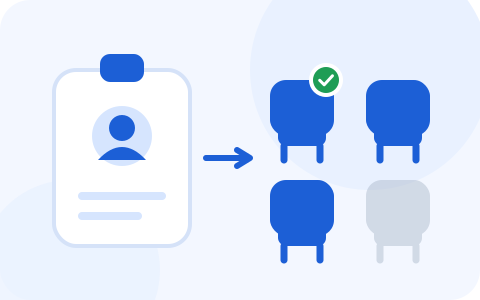
Identity is the step everyone does last and should do first. Configure it after the packages are out and you get a fleet of installed clients attached to personal accounts, seats assigned by hand, and an offboarding process that depends on a human remembering an audio tool exists. Configure it first and the whole thing runs itself.
The order of operations
This sequence is the single most useful thing on this page. It is short, it is boring, and doing it out of order is the most common way this project generates avoidable work:
- Create the team and verify your domain in the vendor's Admin Portal. Domain verification is what makes “anyone with an @yourcompany.com address” a thing the platform can reason about, and several later steps silently depend on it.
- Connect SSO to your identity provider and confirm a test user can sign in through it.
- Enforce SSO on the team account, so the email-and-password path stops being available to people who prefer it.
- Turn on SCIM if you are on a tier that has it, and let provisioning drive seat assignment.
- Only then bake the SSO slug into your install packages and push — the MSI page covers the parameter, Intune and GPO cover the delivery.
Identity, then packages
- Step 1Create the team, verify the domain
- Step 2Connect SSO; test one sign-in
- Step 3Enforce SSO
- Step 4Turn on SCIM, if your tier has it
- Step 5Only then: slug in the package, push
What you get, and what tier it lives on
Where identity lives, by tier
Core
$8 annual · $16 monthly
- SSO
- SCIM
- SOC 2
- HIPAA / BAA 100+ seats
Advanced
$15 annual · $30 monthly
- SSO
- SCIM
- SOC 2
- HIPAA / BAA 100+ seats
Enterprise
Custom-priced
- SSO
- SCIM
- SOC 2
- HIPAA / BAA 100+ seats
SSO
Users sign in through your identity provider instead of holding another credential. Krisp documents an Entra ID gallery application for the connection, plus an enforce SSO switch at the team-account level — the part that converts SSO from an option into a control.
The install-time slug is what ties this to your deployment: machines come up already routed to your IdP, so nobody has to know the right answer to the sign-in question.
SCIM
Provisioning automation on top of SSO. Per Krisp's documentation, SCIM assigns users to unassigned seats automatically and unassigns them when the identity provider deprovisions the user — which is to say, your HR feed reclaims licenses without anyone filing a ticket.
One operational wrinkle worth knowing before the call: Krisp documents that SCIM has to be enabled for your team by your account executive. It isn't a switch you find in the console on a Tuesday.
The honest catch, quantified
If your security baseline requires SSO on every application — a good baseline, and an increasingly common audit finding when it's missing — then the $8 sticker price is not your price. Your price is a custom Enterprise quote, and you should walk into that conversation knowing it.
That is not a reason to abandon the project. It is a reason to sequence it: run the pilot on Core during the trial and ring 1, prove the outcome, and let the proven outcome be what you take into the Enterprise pricing conversation. Arriving with adoption numbers and a ticket-volume delta is a materially different negotiation from arriving with a feature request.
If you're below the Enterprise tier
Most fleets running a pilot are, and there is a defensible way to operate there — it just has to be written down rather than assumed. Three compensating controls:
| What SCIM would have done | Your manual equivalent | Put it where |
|---|---|---|
| Assign a seat on hire | A line in the onboarding runbook: assign the seat in the Admin Portal | The same checklist that grants mailbox access, so it can't be forgotten separately |
| Reclaim a seat on exit | A line in the offboarding runbook, plus a quarterly reconciliation of portal seats against your directory | Calendar it the day you buy. Not later. |
| Keep the ledger honest continuously | Console usage data reviewed 30 days before renewal | The renewal reminder itself — see the seat math |
The reconciliation is the one people skip, and it is the one that costs money. Idle seats do not announce themselves; they renew.
Questions worth asking in the security review
- Which identity provider is actually supported, in the build we're buying? Gallery applications and SCIM connector support move over time. Confirm against current vendor documentation rather than a blog post — including this one, which carries a date for exactly that reason.
- What happens to an account when SCIM deprovisions it? Seat released is the answer you want. Whether data or meeting artifacts persist is a separate question, and if you have enabled the note-taking side of the product, it is a question with retention implications. Ask both.
- Does enforcing SSO break the shared-device pattern? If you run hot desks or interview machines on a device-login configuration, confirm how that interacts with an enforced-SSO team before you flip the switch, not after.
- Who holds super-admin? Enterprise lists a super-admin role. Name two humans, not one, and not a shared mailbox.
What identity does not solve
Worth stating, because SSO has a way of being treated as a completeness check rather than a control. It authenticates people to the tool; it does not put the tool on the machine (Intune, GPO, MDM do that), it does not set the platform-side policies in Teams or Zoom, and it does not make anyone use what you deployed. Adoption is still a comms problem with a technical floor under it.
Rehearse identity on the trial, then negotiate
The Admin Portal is part of Krisp's 7-day trial, no card required (verified 20 September 2026), so you can build the team, verify the domain and rehearse the sign-in flow before any contract exists. Do the pilot first; take the numbers to the Enterprise conversation second.
Referral link, declared: when an organization licenses Krisp after clicking this button, Krisp pays RolloutDesk a fee, and the quote you receive is the one you would get going direct. It has not stopped us from telling you that the tier you probably need is the one with a sales call attached.
Related: what the Admin Portal actually manages, the seat math that provisioning protects, and the company-wide playbook.